Toast Mobile Payments & Digital Menus FAQ
Last updated: Apr 28, 2026, 4:21 PM
- Toast Mobile Payments & Digital Menus Setup
- Is there any additional fee for these features?
- How do I change the image used at the top of the digital menus screen?
- I can see my menu, but an error occurs when adding the item to the cart - what should I check?
- Are Popular Items visible on my digital menu?
- How are Featured Items displayed on my digital menu?
- Payments
- How does the server know someone has paid?
- Can guests still pay directly with a server?
- If my restaurant uses digital menus, can a guest still scan a QR code on the receipt to pay for their check?
- Can guests split the check?
- Can guests use a promo code when checking out for a discount?
- Someone paid, but the check didn't update on the POS. How can we fix the check?
- How do I handle tips for Toast Mobile Order & Pay® employees?
- Guest Data & Loyalty
- Am I able to collect guest data using mobile payments and digital menus?
- Can guests redeem loyalty points or use gift cards at payment?
- Will guests earn points for the order they signed up on?
- Can I customize the "Claim Your Points" text guests see after checkout?
- Am I able to collect guest data using mobile payments and digital menus?
Toast Mobile Payments & Digital Menus Setup
Is there any additional fee for these features?
There is no additional fee for mobile payments and digital menus, but each transaction is charged at the card-not-present rate.
How do I change the image used at the top of the digital menus screen?
Toast uses the logo uploaded into the Restaurant info page in Toast Web.
I can see my menu, but an error occurs when adding the item to the cart - what should I check?
Make sure you have a dining option with the dining behavior of Dine-In set up. This is required to make Toast Mobile Order & Pay® work. Learn more about dining options in Set up Custom Dining Options.
Are popular items visible on my digital menu?
Yes, with the popular items feature, your guests see a curated list of the most-ordered dishes over the past 30 days. To disable popular items, please contact orderandpay-support@toasttab.com.
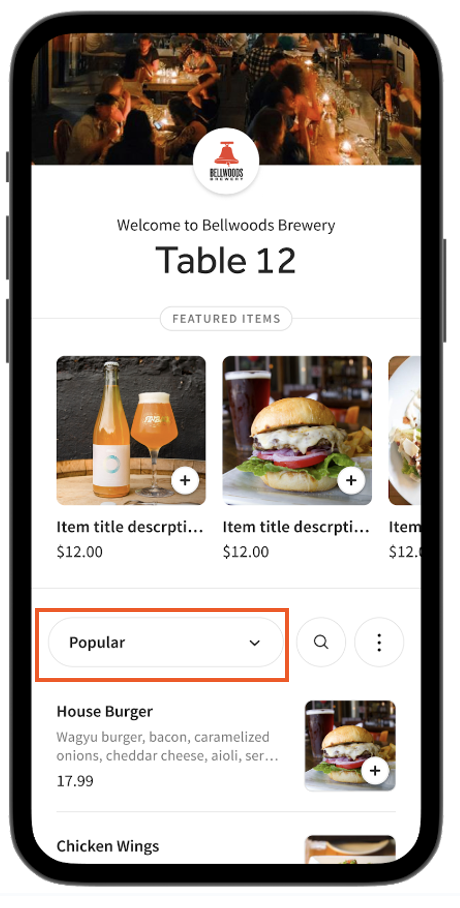
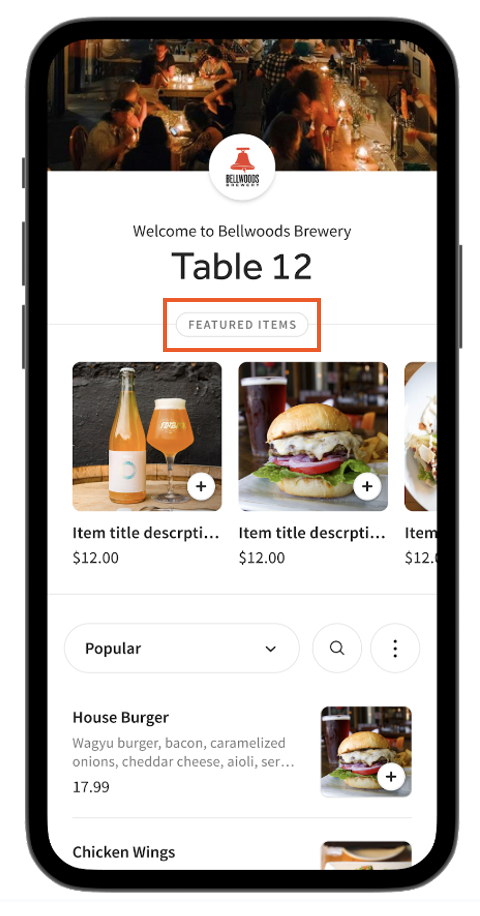
How are featured items displayed on my digital menu?
Featured items is a special menu with enlarged images designed to drive more orders. Featured items are customizable.
- To feature items, add “Featured” as an item tag to up to five items with images in Toast Web. For more information on how to add an item tag, see Use Menu Item Tags to Maximize Reporting.
- Featured items require images.
- If no items are manually featured, then Toast’s algorithm will automatically feature the most profitable items with images based on price and popularity.
To disable featured Items, please contact orderandpay-support@toasttab.com.
Payments
How does the server know someone has paid?
On the Table Service screen, the guest's table changes from yellow to white once the guest's payment has been completed through the website.
Can guests still pay directly with a server?
Yes, guests can still give staff members cash or a credit card for payment.
If my restaurant uses digital menus, can a guest still scan a QR code on the receipt to pay for their check?
Yes, your restaurant can use both mobile and digital payments simultaneously and give your guests the option of scanning the QR code on a receipt or the code at the table. This is useful if guests often want printed copies of their itemized receipts.
Can guests split the check?
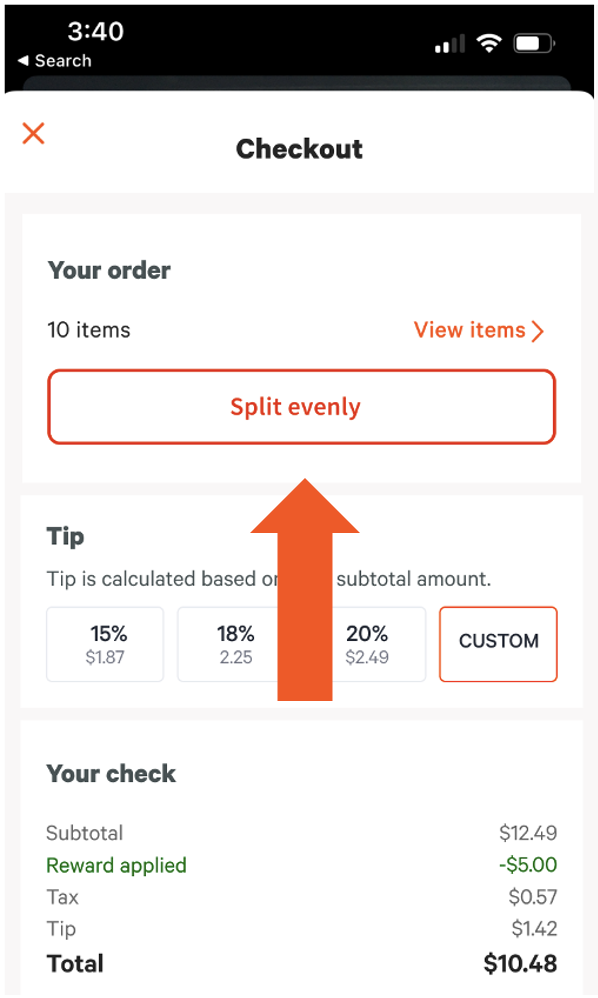
Guests can evenly split a check across other guests within mobile payments and digital menus. The check can also be split on the POS device, and each guest should receive their own itemized check. Each check will have a unique QR code, allowing them to view and pay for their items. Need a refresher on how to split a check on the POS? Check out the Split Checks on the POS article.
Can guests use a promo code when checking out for a discount?
Yes, during the checkout process, there is a space for the guest to add a promo code before paying.
Someone paid, but the check didn't update on the POS. How can we fix the check?
If your POS device is offline, the guest's check won't update with their payment. The guest's payment can be verified through Toast Web using the Find checks & issue refund feature on the Payments page.
If the payment cannot be found for the guest's check using Toast Web, the guest may still need to complete their payment through the website. If this occurs, please check in with the guest and offer to walk them through entering their payment details into the website if needed.
How do I handle tips for Toast Mobile Order & Pay® employees?
There are two ways to handle tips with Toast Mobile Order & Pay®.
- Tip pooling: Using a "Virtual server" assigned to an autofire device
- Server assignments at the start of each shift from the POS terminal
Find more information about these options in Set Up Toast Mobile Order & Pay®.
Toast Mobile Payments and Digital Menus Guest Data & Loyalty
 | Currently, Toast Loyalty is only available to customers inside the US. |
Am I able to collect guest data using mobile payments and digital menus?
Yes, the restaurant may collect guest data that can be leveraged to power your marketing campaigns.
Can guests redeem loyalty points or use gift cards at payment?
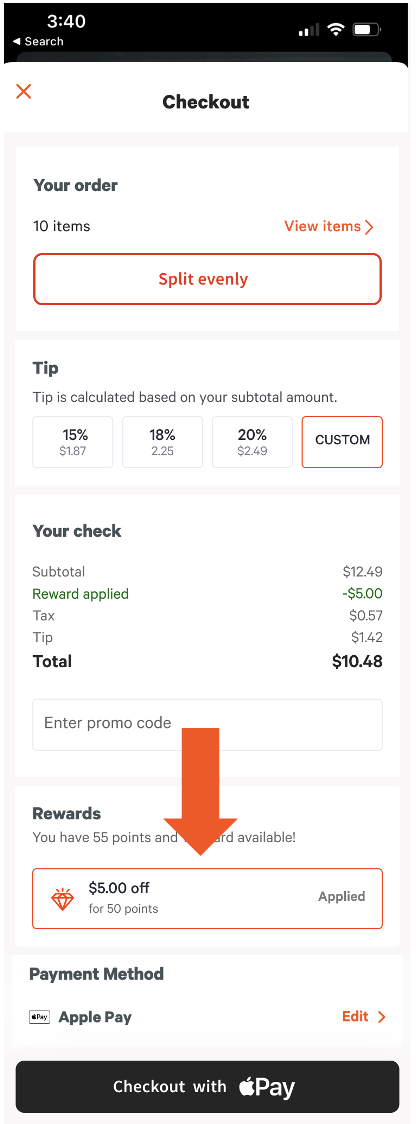
Guests can now use Toast gift cards as payment and redeem loyalty rewards with mobile payments. Staff members can also help guests by taking the gift card and/or loyalty information and manually entering it at a POS terminal or Toast Go®.
Will guests earn points for the order they signed up on?
Yes, guests will earn points for the order plus the sign up bonus if enabled. You can learn more about setting up sign up bonuses in Get Started With Toast Loyalty.
Can I customize the "Claim Your Points" text guests see after checkout?
No, this text cannot be changed or customized at this time.
Am I able to collect guest data using mobile payments and digital menus?
Yes, the restaurant may collect guest data that can be leveraged to power your marketing campaigns.