Toast Payroll: Get Started With the Company Summary
Last updated: Oct 19, 2026, 12:49 PM
- Company Summary Introduction
- Business Setup
- Pay Group Settings
- Tax Setup
- Employee Pay Setup
- Jobs Setup
Company Summary Introduction
The new Company Summary page in Toast Payroll offers insight into important details about your business and your Toast Payroll account settings. This resource is meant to help you quickly see the configuration of your system.
To locate the Company Summary in Toast Payroll, navigate to Settings > Company Summary. If you do not see Settings on the left side of the screen, select Payroll from the Toast Web navigation rail on the left to make the Toast Payroll navigation rail appear.
Back to top
Business Setup
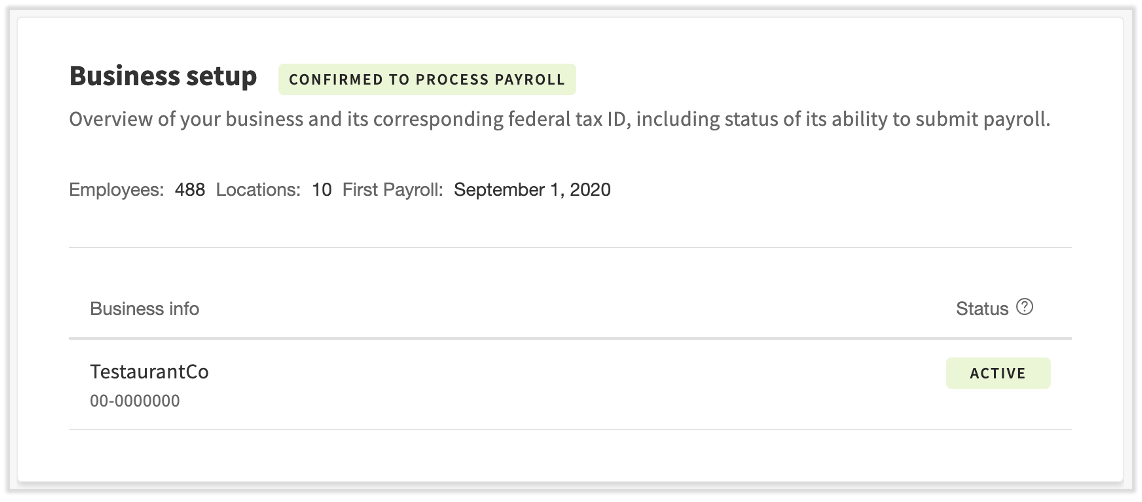
The Business Setup section offers basic information about your Toast Payroll account, including FEIN(s) in the first column. If this tile says Cannot Process Payroll, or if you see an Inactive status which should be Active, contact Toast Payroll as soon as possible. In this case, you may have also received an email stating that your business cannot process the next payroll.
Pay Group Settings
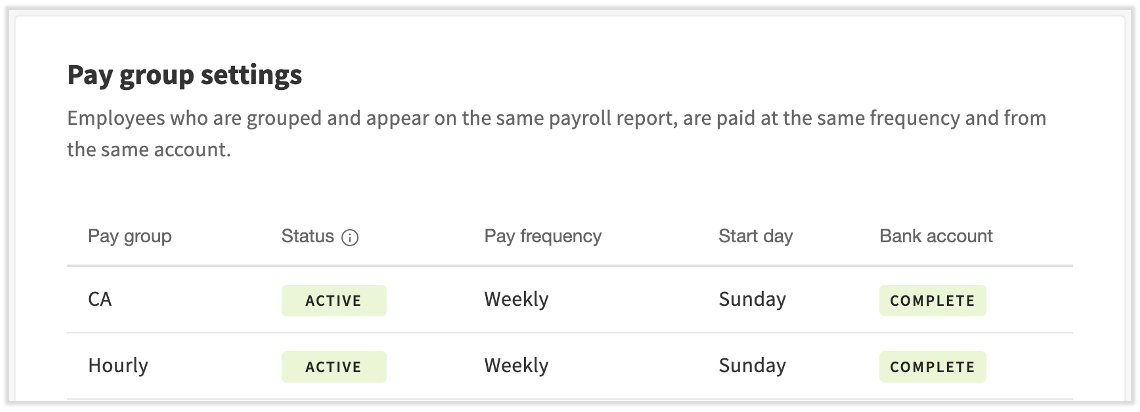
For each pay group set up within your business, you'll see a Status as well as relevant details regarding each pay group's payroll settings. If the pay group is Active, but the Bank account column displays Missing Signature or Missing Account, this could cause issues when it comes to processing payments for your employees. To correct this, start a chat with us by selecting the blue chat dot in the lower-right corner of any Toast Payroll page.
- Pay group: These can be thought of as a way to group employees or portions of your business together for the purpose of payroll processing. You may have one or multiple pay groups.
- Status: Active statuses indicate a payroll has one or more upcoming payrolls for this pay group. Inactive indicates there are no future payrolls for this pay group.
- Pay frequency: Also known as check frequency, this determines how often you run payrolls and how often employees are paid.
- Start day: The first day of the week in which a pay period starts. For instance, a weekly pay frequency starting on Monday means the pay period runs Monday through Sunday.
- Bank account: A status of Complete implies that Toast Payroll has the appropriate bank account information on file for payroll debit and withdrawal purposes. Locate more information about payroll debits and withdrawals here.
Tax Setup
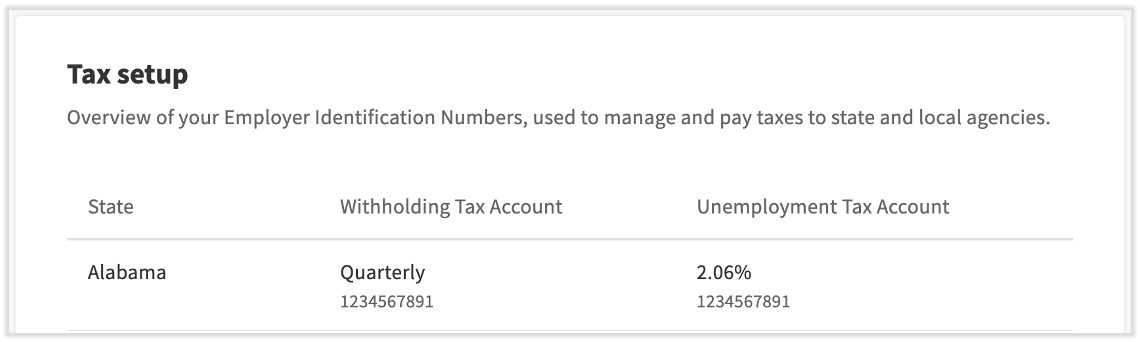
All 50 states require an unemployment tax account, an unemployment tax rate, and a tax payment frequency. Some states also require a withholding tax account, but those that do not are indicated by N/A in the charts on this page. When you receive notices that these rates or frequency details have changed, be sure to forward those to us via the blue chat dot in the lower-right corner of any Toast Payroll page so we can stay current for your payroll processing.
If Applied For displays anywhere in this tile, it is vitally important to enter that data into Toast Payroll as soon as possible to avoid penalties, interest, fees, and/or additional repercussions by governing agencies. Reference the second chart on Toast Payroll: Registration Chart by State for assistance in locating the Applied For data.
Back to top
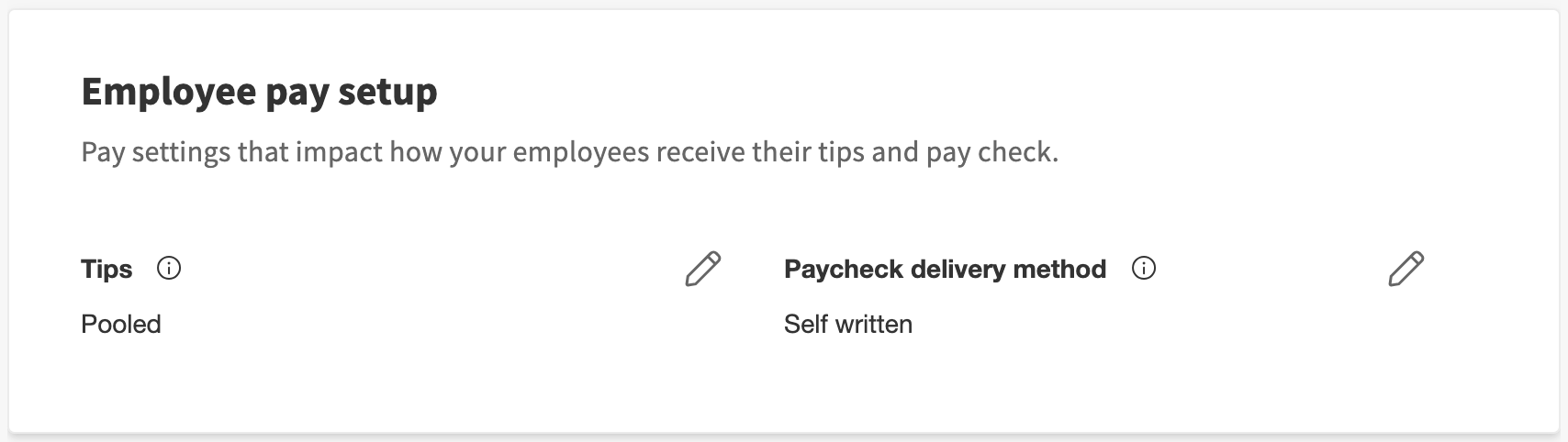
These are the only two settings that can be changed by HR+ users.
- Tips determine whether tip amounts are pooled/shared, not pooled/unshared, or are not synced from Toast Web at all. For users of Toast Tips Manager, the tips setting will read Pooled tips. Toast does not recommend changing the Tips setting during a pay period. Find more information on the relationship between Toast Payroll and Toast Tips Manager here.
- Paycheck Delivery Method is how an employee is paid when they do not opt into direct deposit or the Toast Pay Card. There are three options to choose from: Toast Printed, Self-Printed, and Self-Written. Paycheck delivery methods can be changed anytime before submitting a payroll, and it will apply to that payroll and other future payrolls. Keep in mind that this setting impacts all pay groups. Select the edit pencil to update the chosen method.
Jobs Setup
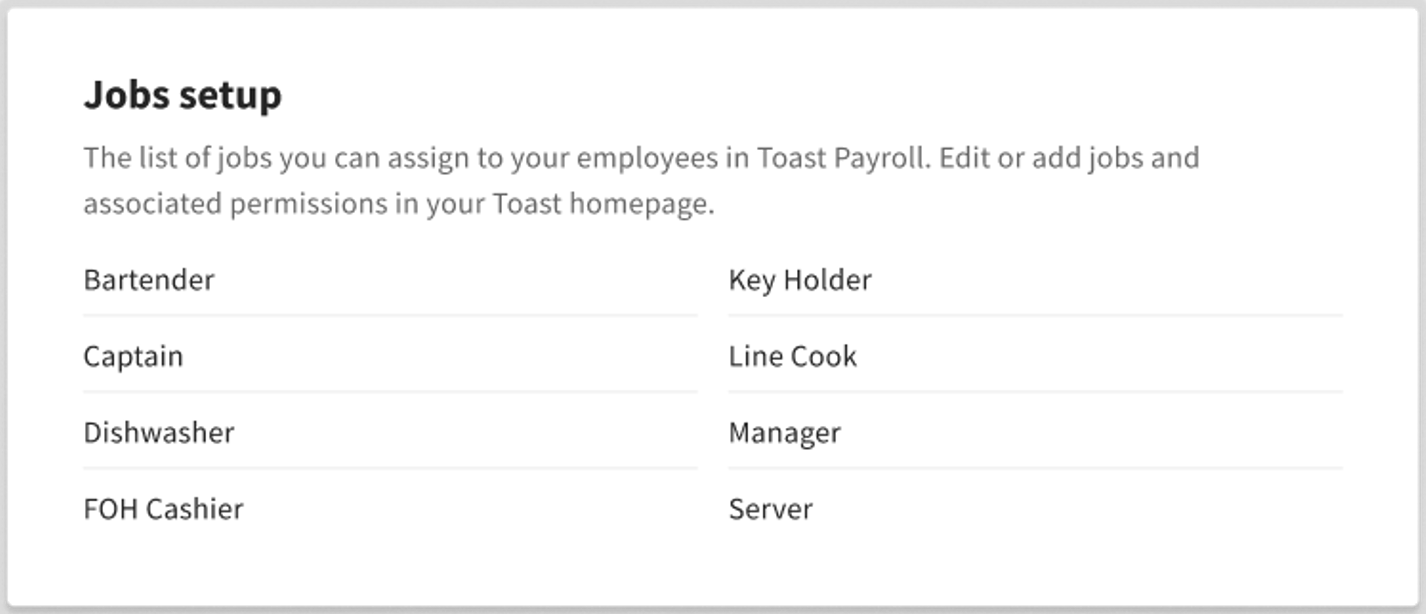
As stated, this is a list of available jobs that can be assigned in Toast Payroll. To add or edit jobs, visit Toast Web or check out this guide for more information.
Back to top
This content is for informational purposes and is not intended as legal, tax, HR, or any other professional advice. Please contact an attorney or other professional for advice.