Toast Payroll: Review Paycheck Delivery Options
Last updated: Apr 8, 2026, 10:17 AM
| These methods only apply to employees who do not receive direct deposit or use Toast Pay Cards and would instead receive a paper check. If an employee signs up for direct deposit, they will receive their funds electronically regardless of which method is chosen. |
Paycheck Delivery Basics
Employers should navigate to Settings > Payroll > Paycheck Delivery to set their paycheck delivery preference.
During new hire onboarding, employees choose how they'd like to be paid. Every employee has an option of direct deposit or a paper check, and some can even select to be paid via the Toast Pay Card. An employee may also change their selection at any time using the Payment Methods page located in their profile. When an employee chooses the paper check option, there are three different ways you may deliver them their wages. Use the paycheck delivery page to choose how you'd like to pay out the wages for employees who selected paper check. Paycheck delivery is a company-wide setting.
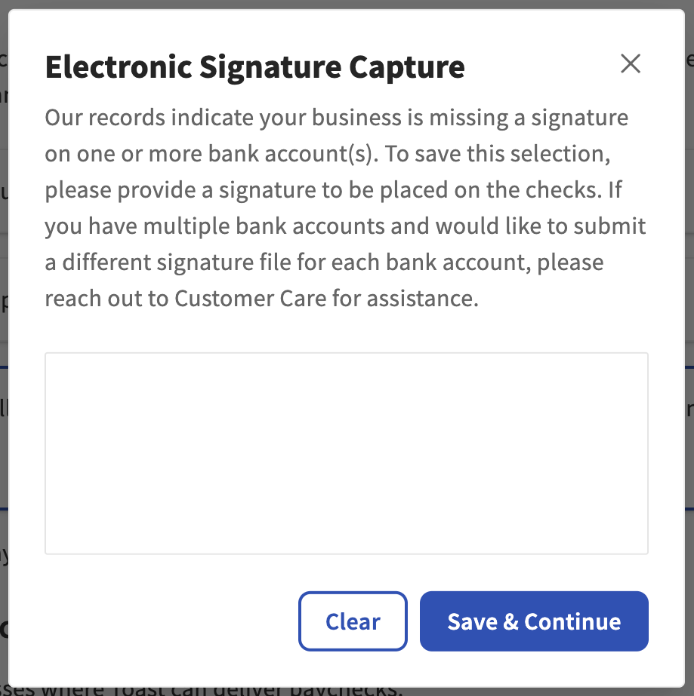
If you decide to toggle away from the defaulted self-written method, Toast will ask you to provide a signature to attach to your bank account. You may not see this screen if this step was completed during your Toast Payroll onboarding process.
Self-Written Paychecks
The self-written option allows you to create payments in a way of your choosing. Some common examples are to write checks from a company checkbook, pay employees in cash, or use a payment app. You may even pay your employees in a combination of ways using this option.
| Pros |
|---|
|
| Cons |
|
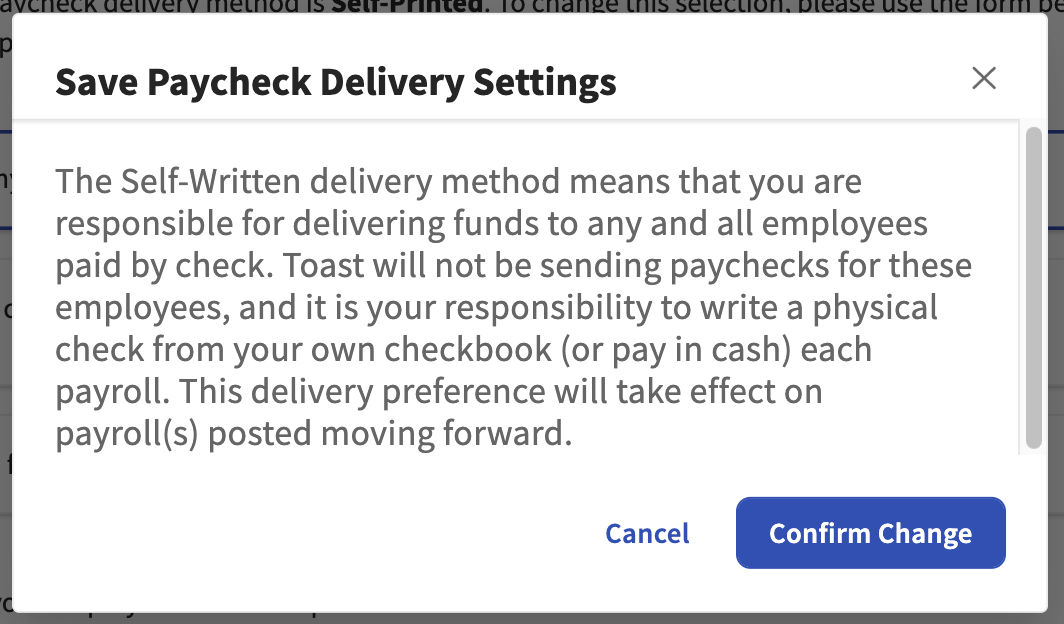
When the self-written option is chosen, select Save and you will see a pop-up giving you the specifics. The main takeaway here is that you are responsible for making sure employees not using direct deposit or Toast Pay Cards are paid appropriately. Select Confirm Change to save your selection.
Use the Check Register report generated immediately after submitting payroll to locate net pay amounts for these employees. Learn more by reading Toast Payroll: Manage Self-Written Paycheck Delivery.
Self-Printed Paychecks
The self-printed option is also known as remote check printing. When selected, Toast Payroll will deliver a PDF file after each payroll is submitted. This file contains the paychecks that you will print out onto check stock. Keep in mind that self-printed paychecks will display the company's legal address tied to the FEIN.
| Pros |
|---|
|
| Cons |
|
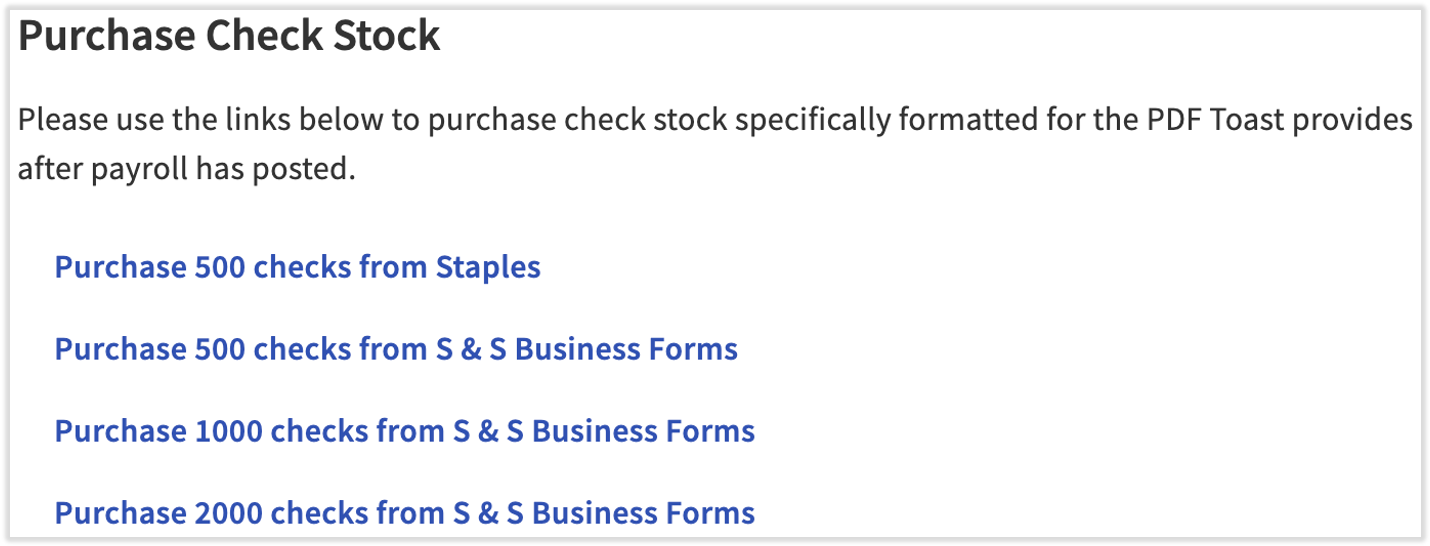
When self-printed is selected, links will appear below where you may purchase check stock that is compatible with the PDF files Toast sends to you. Toast Payroll does not provide check stock to customers.
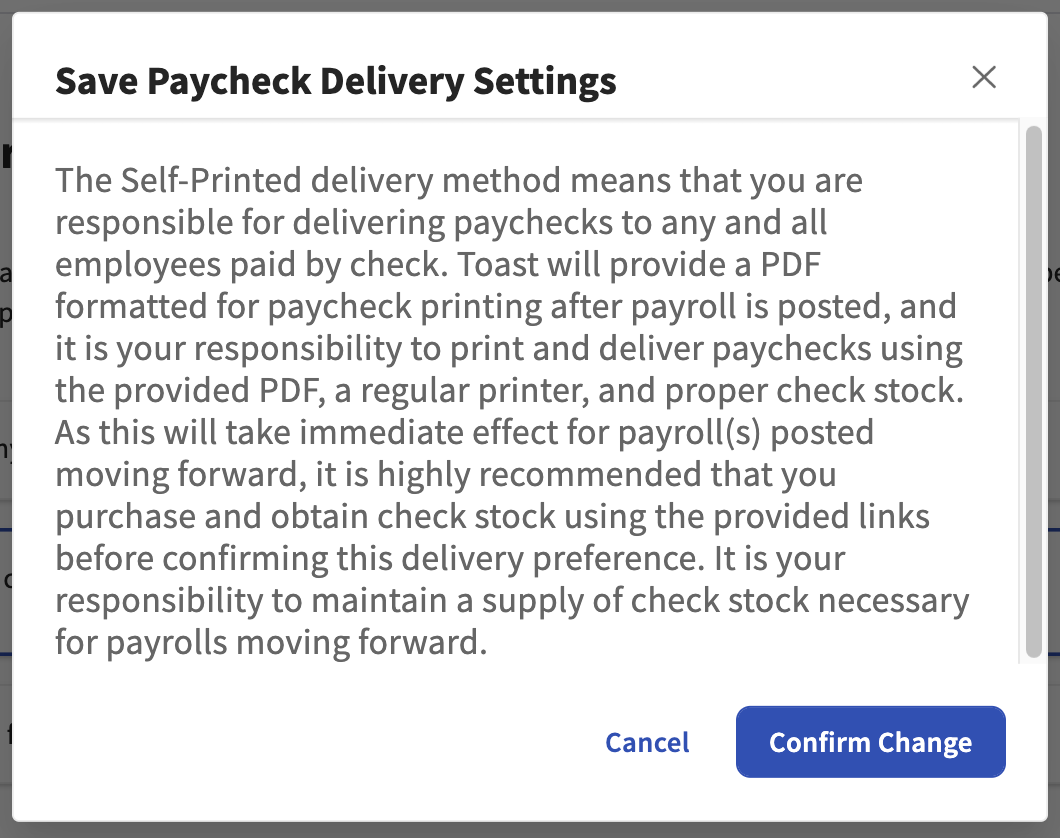
After selecting Save, a pop-up appears and displays information concerning your obligation to print and deliver any wages not paid via direct deposit or the Toast Pay Card. Press Confirm Change to save your selection.
Read more about printing your own paychecks in Toast Payroll: Use Self-Printed Paycheck Delivery.
Toast-Printed Paychecks
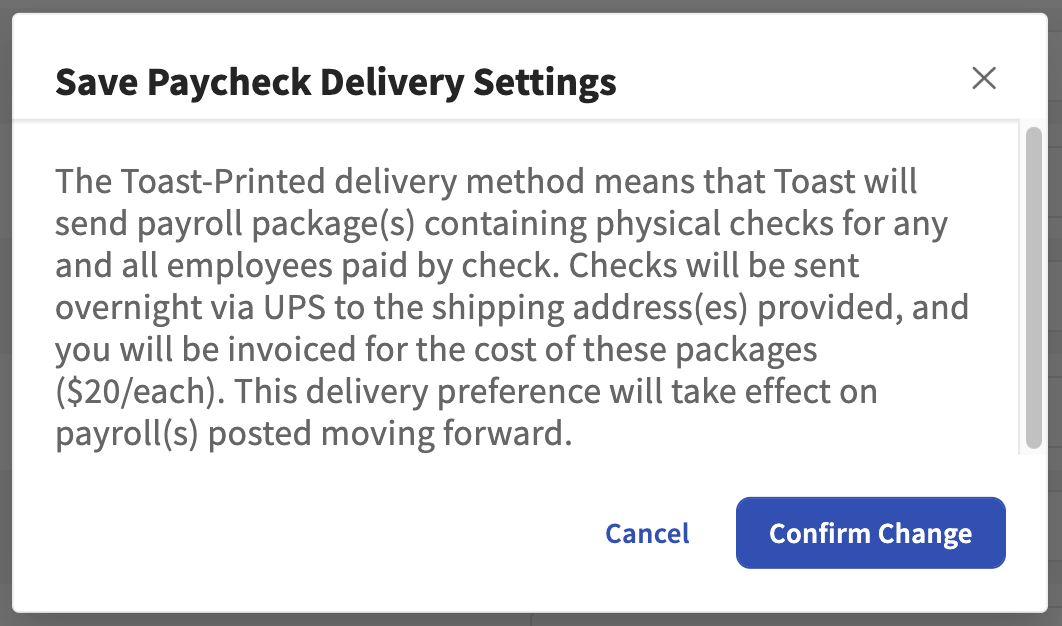
Using this method, Toast Payroll will print out your paychecks and mail them to the address(es) you specify. Packages can be split up between work tax locations. A $20 shipping fee is associated with each package that Toast mails out.
| Pros |
|---|
|
| Cons |
|
When the Toast-printed option is selected, scroll down to All Shipping Locations. This is where we store addresses that receive packages. Select +Add new location to enter a new shipping address. This shipping address will be used for paychecks and paystubs only.
Note: The Delivery Instructions will print on the shipping label and are designed for UPS to follow, but Toast cannot guarantee delivery instructions are followed.
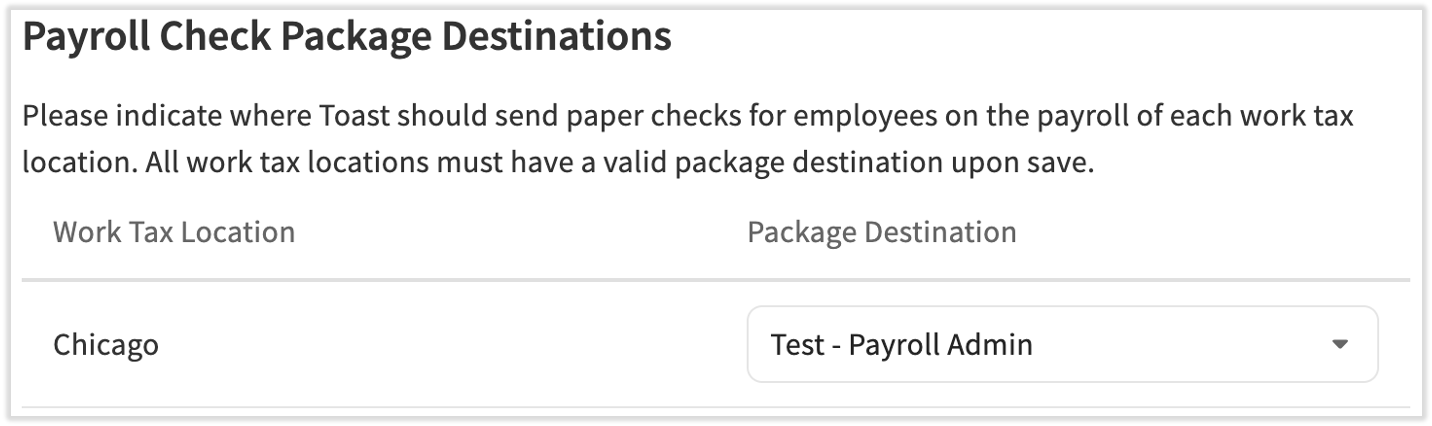
Once all addresses are entered, scroll down further to Payroll Check Package Destinations. Select the Package Destination for each work tax location. Each work tax location must have an associated package destination. Until then, the Save button will appear grayed out.
Once Save is pressed, the following pop-up will display the important details of Toast-printed paycheck delivery. Take note of the shipping fees and select Confirm Change. One other item to note is that Toast-printed paychecks will display the company's legal address tied to the FEIN.
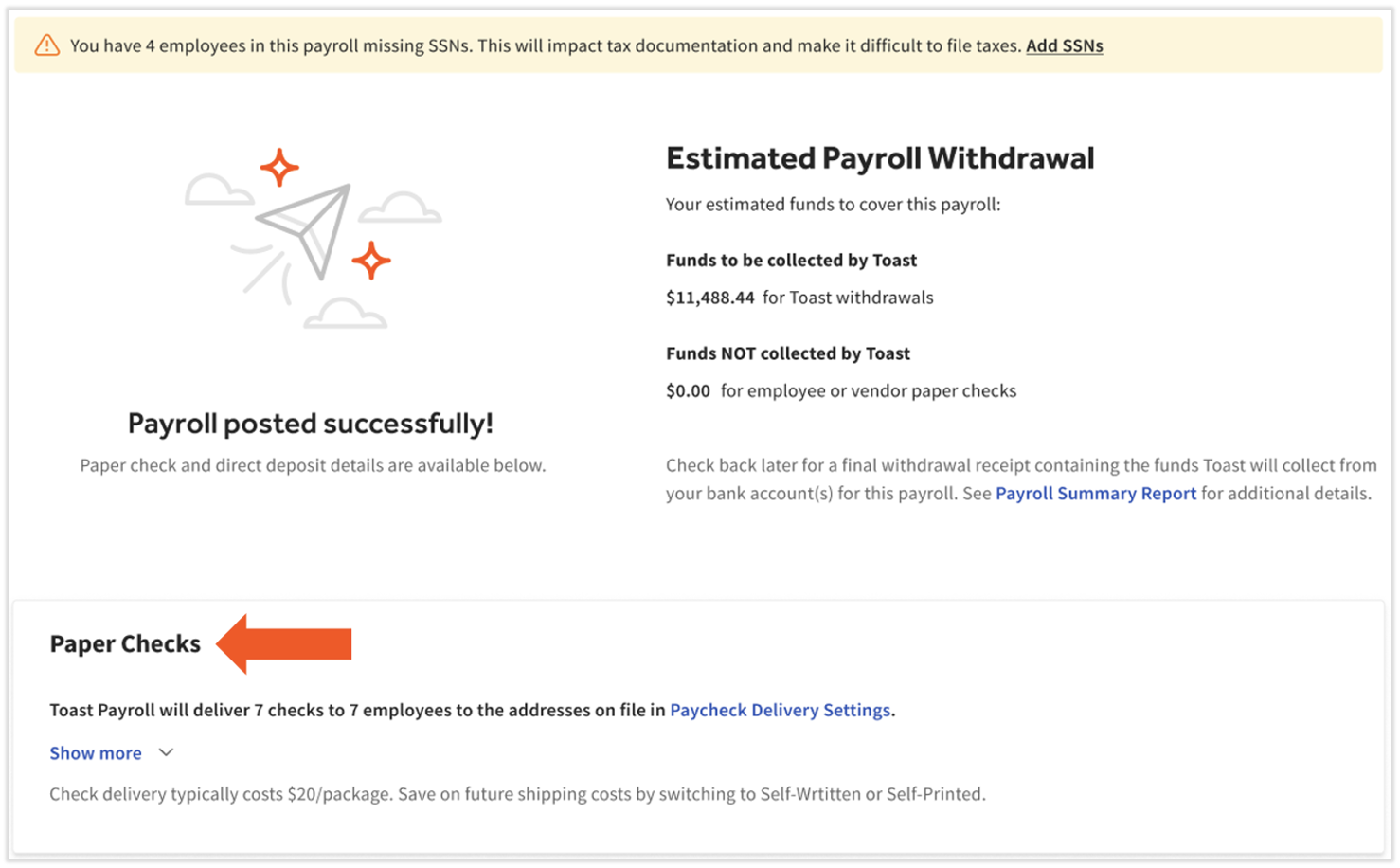
Once you're set up to receive printed checks, you'll verify delivery details on the confirmation page upon completing a payroll. From this page, you'll also be able to modify check delivery settings for future payrolls by selecting Paycheck Delivery Settings.
See more in Toast Payroll: Manage Toast-Printed Paycheck Delivery.
Which paycheck delivery option is right for our business?
There are pros and cons to each paycheck delivery option:
-
- Self-Written: customers who only have a few checks each payroll (because of a low number of employees and/or most employees are paid via direct deposit or Toast Pay Card) often prefer this option as it is low cost, low effort, and very reliable.
- Self-Printed: customers who have more checks than they would like to write by hand may prefer this option.
- Toast-Printed: customers who have many checks and are not concerned about cost might prefer this option.
When does a new paycheck delivery option take effect?
Any changes to this page will be put into effect for payrolls processed after the change is made.
How will my employees receive paystubs?
All employees can find electronic paystubs in the MyToast app by tapping the Pay tab. They are also in an employee's Toast Payroll profile and in the Pay History tab. Employees may also receive paper paystubs in certain circumstances. Learn all about paystubs by reading Toast Payroll: View Your Paystub or Timesheet. Locate several more answers on Toast Payroll: Paycheck Delivery FAQ.
This content is for informational purposes and is not intended as legal, tax, HR, or any other professional advice. Please contact an attorney or other professional for advice.