Toast 薪资管理系统:更新位置
上次更新时间:2026年4月14日 17:38
位置更新
观看此视频以了解更多关于更新职位的信息。
职位更新是指对员工档案进行专业更改。任何更改都应在开启工资单之前应用,可包括以下内容:
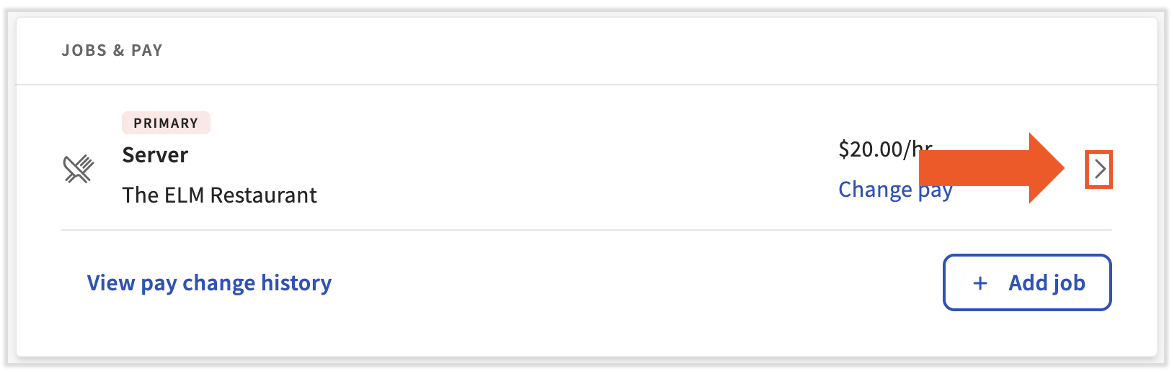
在新员工入职过程中,所有员工都会被分配一个职位。点击员工主要职位右侧的“>克拉”图标,即可在员工档案中找到“职位”页面。在此页面中,选择编辑铅笔来访问位置详情页面。如果员工状态为“终止”,此页面将无法再编辑。
位置原因
在“职位详情”页面上进行的所有更新都需要说明原因。必须提供原因,并且可能触发额外的系统提醒和通知,这些提醒和通知在应用更改之前需要获得批准。
在员工档案中选择最准确的操作原因非常重要。 可用原因代码如下所示。最常用的原因旁边有星号:
- *管理更新: 用于工作税务地点、报告和安全角色更新。
- *加薪:用于在系统中增加时薪。
- *年薪上调:用于在系统中提高薪资。
- *位置更新:用于在系统中更新位置。
- *公司间转账:仅用于将员工从一个 FEIN 移动到另一个 FEIN。 如果您在进行公司间转移时未选择此项,您将无法将该员工转移至其他 FEIN。
- 生活成本上涨:用于生活费更新。
- 更新:用于与职位或薪资无关的更新。我们建议在此页面上使用管理更新原因代码。
- 历史更新:用于从先前的位置导入信息。
- 促销:仅用于促销。
- 重新雇用:通常不使用此原因。
- 降级:仅用于降级。
- 最低工资上涨:仅用于最低工资上涨。
职位详情字段
在更改职位详情页面时,以下字段可以调整。 受特定字段影响的数据库区域在下方以红色字体表示。
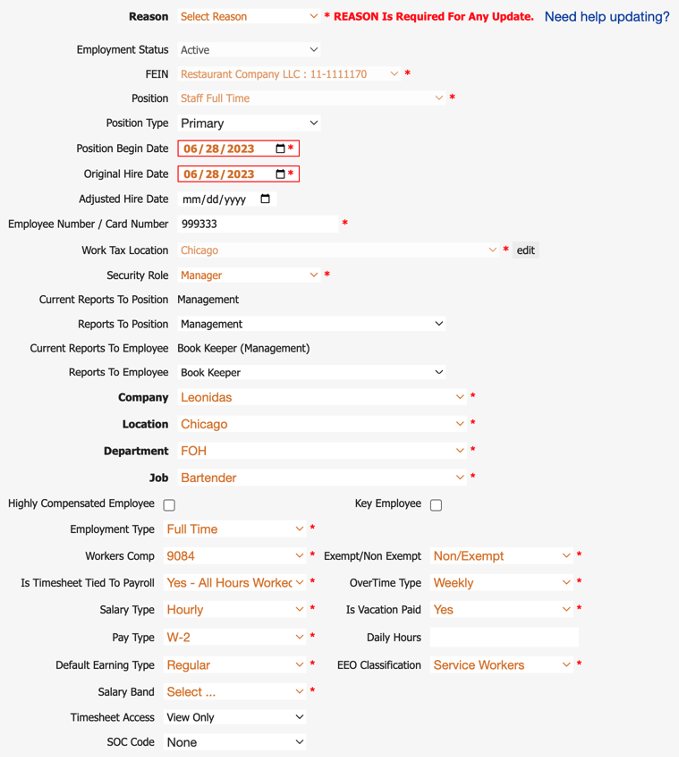
- FEIN:表示员工在哪个 FEIN 工作并将在哪个 FEIN 领取薪酬(薪资和职位)
- 职位: 表示员工当前被分配的职位,并确定该员工处于哪个薪资组(薪资组)
- 职位类型: 表示该职位是否为主要职位、次要职位等。(仅报告)
- 职位开始日期: 表示该职位何时开始(仅报告)
- 原始雇用日期: 表示员工的入职第一天(TAFW 和福利)
- 调整招聘日期: 此日期仅在员工被重新雇用(TAFW 和福利)时才会显示
- 员工编号: 员工打卡考勤时使用,也会出现在报告中(考勤管理和报告)
- 工作税务地点: 标识员工的工作所在地(即芝加哥公司办公室)(税费/W-4、工作税务地点、地点级别)
- 安全角色: 表示员工可以在 Toast 薪资管理系统中查看的内容(级别、报告和薪酬信息)
- 报告给: 表示员工在 Toast 薪资管理系统中直接向谁报告,并将随着职位更新自动更新(报告、安全角色)
- 级别: 基于您的组织结构并在实施过程中设置(考勤管理、安全角色、招聘、排班)
- 雇佣类型:识别分配给员工的雇佣状态类型(例如全职、非全职)(仅报告)
- 员工福利:表示分配给员工职位的员工补偿代码(报告)
- 免税/不免税: 表示员工是否获得加班费。
- 注意: 员工是否应被归类为免税或不免税取决于多种因素,例如员工的责任、义务和报酬。 如果您对员工是否应被归类为免税或不免税有疑问,请咨询 CPA 或您的法律顾问。 (考勤管理、报告)
- 工资单时间表: 确定员工是否有时间表工时录入工资单(考勤管理、TAFW、工资单)
- 加班类型:确定员工是否获得加班费(在其时间表上)以及加班费如何在其时间表上(每日或每周)计算。 (考勤管理、薪资管理)
- 薪资类型: 表示员工的薪资类型(例如时薪、固定薪资等)(报告、薪资)
- 假期是否带薪: 识别员工是否享受带薪休假(TAFW、报告)
- 薪资类型: 表示员工将收到的工资类型(例如 1099 或 W-2)(税费、工资、收入)
- 检查频率:员工领取工资的频率(薪资、薪资组、职位、扣除项/收入)
- 每日营业时间:如果启用了“带薪假日工时”类型的公司假期,员工将收到的工时金额。如果此字段留空,节假日收入将默认为八小时。 (工资单、报告)
- 默认收入类型: 确定员工默认通过工资单支付的收入类型(薪资、收入)
- EEO 分类: 表示员工指定的 EEOC 分类(报告)
- 薪资组: 如果您使用薪酬段字段,请在此处选择该信息(报告)
- 时间表访问: 用于说明员工是否有权限提交或编辑时间表(考勤管理、TAFW、薪资管理)
字段报告
报告对象是指对此人负责的人或职位。在许多情况下,这是个人的直接经理或其直接经理的职位,但您也可以设置不同的配置。此字段非常重要,因为它控制着具有经理安全角色的员工可以访问哪些员工。当员工向具有经理安全角色的个人报告时,经理可以访问员工的个人资料(包括其工资率)、通过报告库中的报告查看员工的信息、员工的时间表等。
在员工档案的职位详情页面上,有四个字段涉及“报告收件人”:
- 要定位的当前报告
- 要定位的报告
- 当前对员工的报告
- 给员工的报告
“当前”字段和“当前”字段都是不可编辑的,因为它们显示员工当前对谁或哪个职位负责的配置。“对位置的报告”和“对员工的报告”允许您更改这两个“当前”字段。如果选择了“职位报告”,任何被分配到该职位的人员都将被纳入上述访问权限。
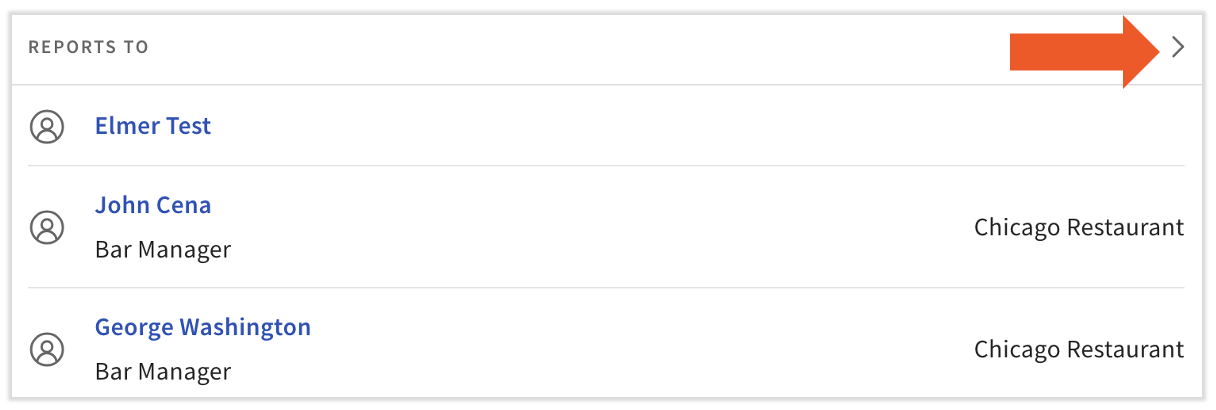
在“雇佣概览”页面的员工档案底部,也可以看到员工向其报告的个人或职位。选择要录入其个人资料的个人姓名,或点击 > 展开箭头图标打开职位详情页面,您可以在其中编辑“报告收件人”字段。
此内容仅作参考之用,不构成法律、税务、人力资源或任何其他专业领域建议。如需获取相关建议,请联系律师或其他专业人士。