xtraCHEF: Review Reports in the Reporting Module

上次更新时间:2026年4月8日 10:10

In xtraCHEF, your Reporting page hosts detailed accounts of your restaurant's cost management and visualization, inventory, and more.

In this Article:


Reporting Overview

In xtraCHEF, the Reporting tab hosts several helpful reports that can be viewed in xtraCHEF or downloaded for review offline. These reports are designed to be detailed accounts of your restaurant's cost management, accounting, and operations based on data gleaned from your uploaded invoices and sales from Toast.
 

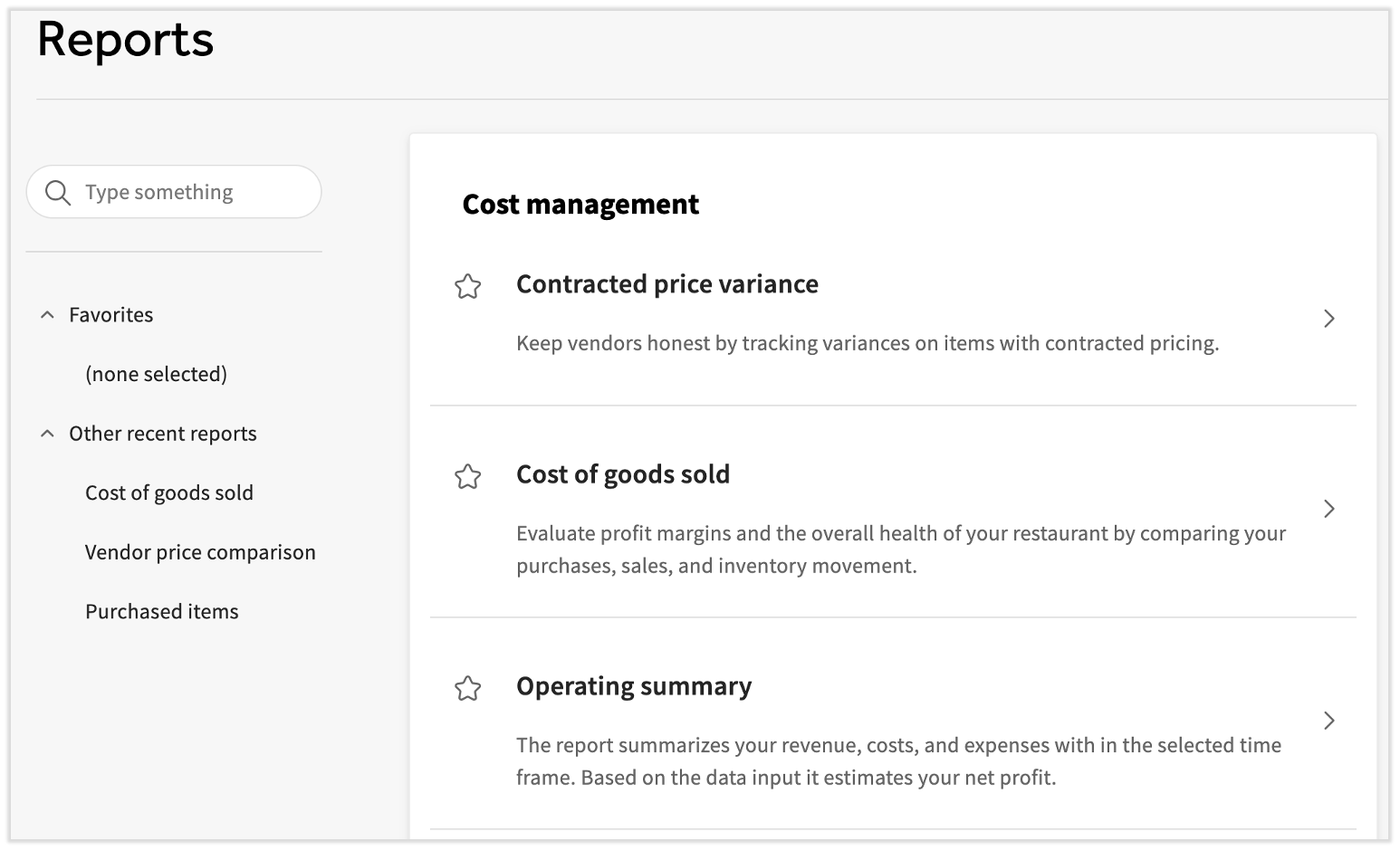
Select Reporting from the left-hand navigation bar. Use the search bar to quickly locate your desired report and select the star icon to save this report in the Favorites menu to your left.


The new Reporting page in xtraCHEF


Back to top
 

Cost Management Reports

Need to explore how your purchasing affects your food costs at a detailed level? Cost management reporting allows you to dive into several different ways of looking at this.

  • Contracted price variance: Do you have any invoice items with contracted pricing? If so, this report empowers you to keep your vendors honest by tracking any variance on these close-watch items.
  • Cost of goods sold (COGS): One of the most useful reports for a business, COGS combines data from your purchases and sales so you can evaluate profit margins.
  • Operating summary: Search by week, period, or quarter and find your revenue, prime cost, and net profits, all in one interactive table.
  • Price fluctuation comparison: This report details where purchase costs have risen or fallen between a set date range.
  • Price tracker: See how the price of your invoice items have changed over time and use this to protect your margins.
  • Purchased items: A full record of all invoice items purchased per location. This can help inform future decisions regarding vendor contracts or pricing negotiations. 
  • Vendor price comparison: Vendor price compare allows you to compare these different line items side by side to quickly determine which of your suppliers gives you the best prices.


For specifics on generating or exporting these reports, review xtraCHEF: Get Started With Cost Management Reports.


Back to top
 

Cost Visualization Reports

These reports revolve around your expenses and offer different ways to compare and track when compared to your overall spending. Each of these reports also lives under the Analytics tab in the left-hand navigation rail. Learn more about the Analytics tab and its data via xtraCHEF: Review Analytics Reports.


Back to top


Inventory Reports

Many or all of these steps are required to view each inventory report:


Once completed, you'll be able to run a variety of inventory reports. Check out xtraCHEF: Review Inventory Analytics and xtraCHEF: Get Started With Inventory Reports to learn much more.


Back to top


Other xtraCHEF Reports

There's three additional reports that also live on this page in their own sections:

  • Variance analysis (also located under Recipe)
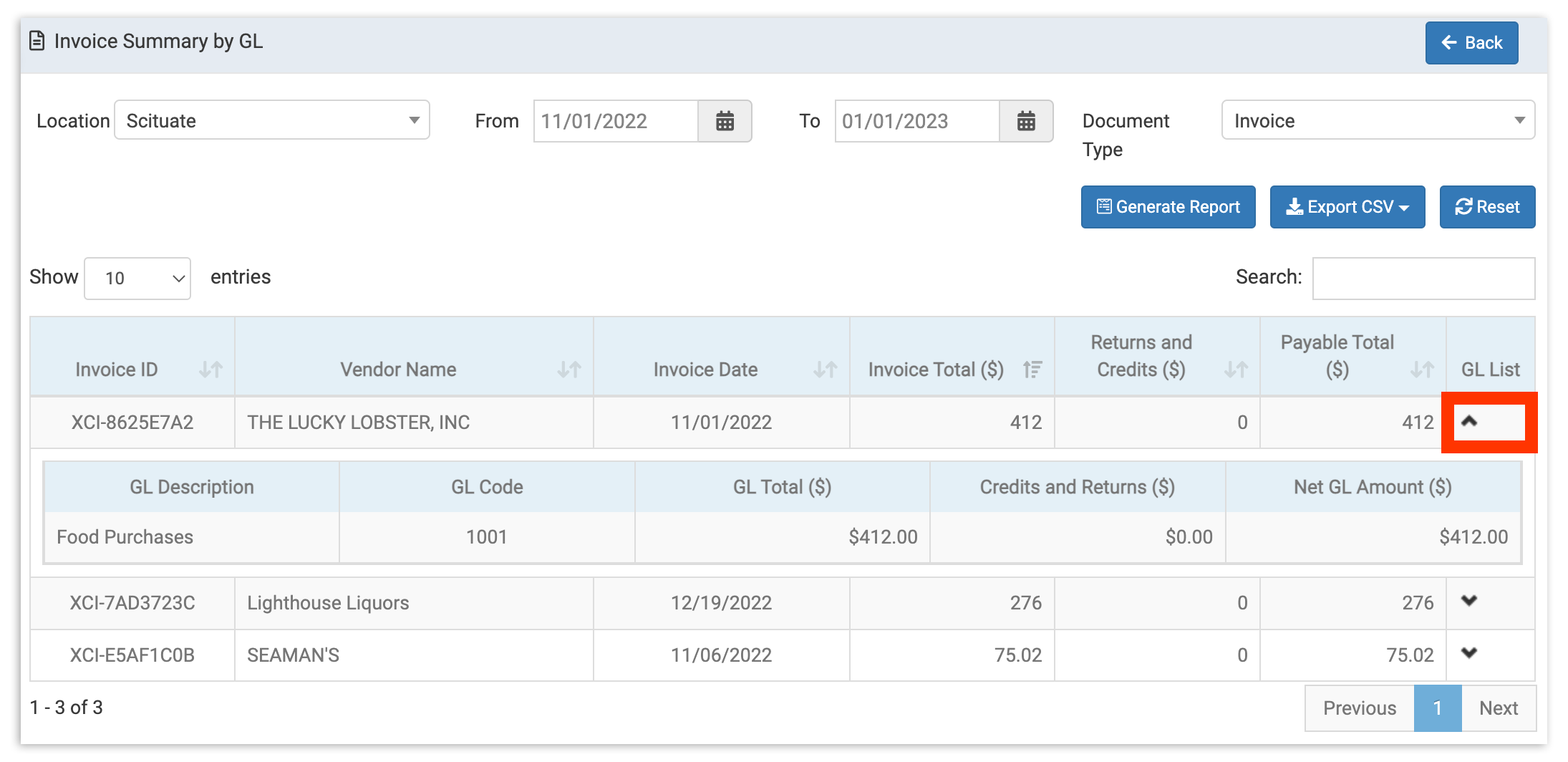
  • Invoice summary by GL: This report provides a detailed look into all reconciled invoices between a set date range. Each invoice has a collapsible GL list that launches a submenu that shows each GL code that made up the invoice total for that vendor. 
    • This report has taken the place of the GL distribution and GL summary reports.


Invoice Summary Data Set


  • Sales reporting: This table is a short summary of the sales data you've synced from Toast Web. Select the radio buttons on the left or the checkbox in the top-left corner to download some or all of this information. Remember that much more sales data is available in Toast Web.


Back to top


Additional Resources


Back to top